01
Current
grayscale(1); ::after #FF5D22; opacity 0.72; mix-blend-mode: soft-light
Too heavy The veil blankets the photograph and the interface.
This is a lab for judging image treatments. It is not the live site, and nothing here is applied to the portfolio.
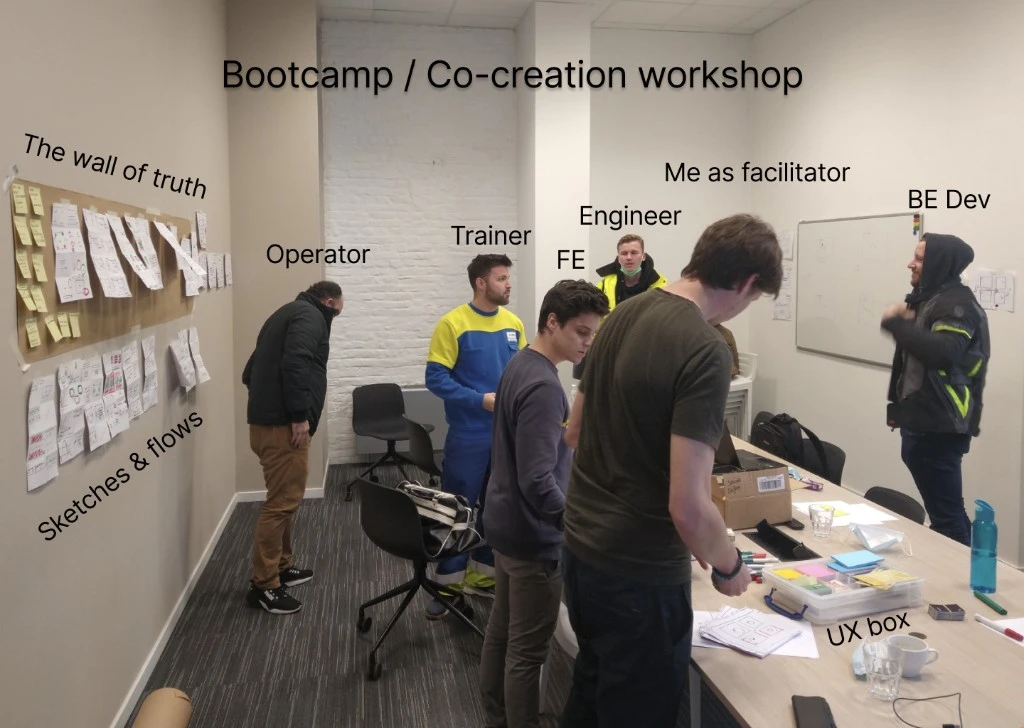
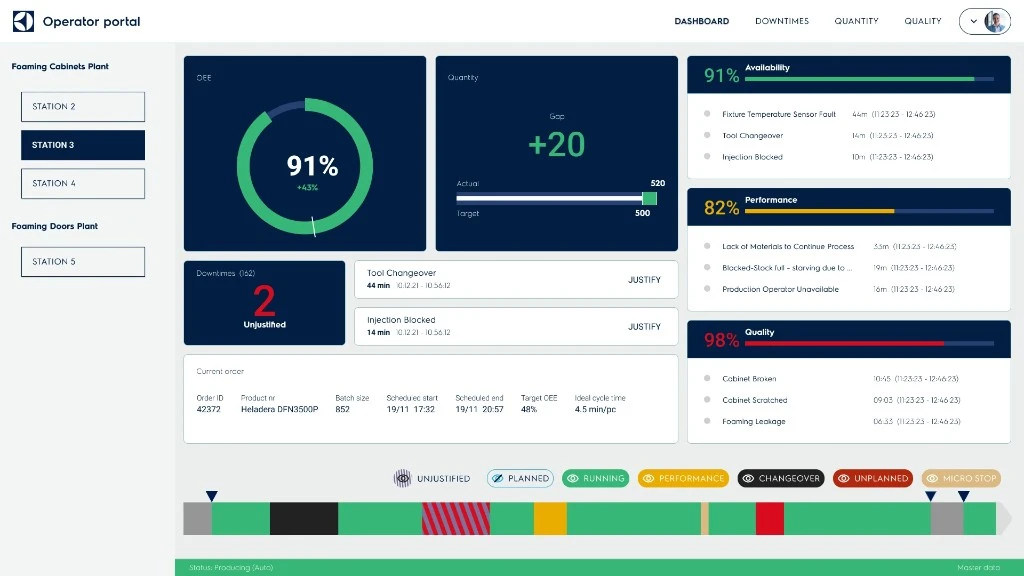
Each cell runs one treatment on both pictures: the Electrolux workshop photograph, and the case-study interface. A real shader can do this duotone, but SVG/CSS already can, and a canvas shader would be more machinery than the photo needs.
01
grayscale(1); ::after #FF5D22; opacity 0.72; mix-blend-mode: soft-light
Too heavy The veil blankets the photograph and the interface.
02
grayscale(1); ::after #FF5D22; opacity 0.35; mix-blend-mode: soft-light
Elegant Same blend, quiet enough that faces and UI still read.
03
grayscale(1); ::after #FF5D22; opacity 0.28; mix-blend-mode: overlay
Elegant Shadows stay dark. Orange sits in the lights, including bright UI panels.
04
filter: grayscale(1) sepia(0.28) saturate(0.9) — no overlay
Elegant Almost no orange, just warmth. Type and UI edges stay crisp.
05
SVG #signal-dark — shadows map near #0A0A0B, highlights toward #FFB38A
Elegant Recommended direction, not applied live. Midtones stay readable; the UI loses its own colors but keeps its shapes.
06
grayscale(1); 1px #FF5D22 rule along the bottom, fading to transparent
Elegant Orange never covers the picture, so the UI is not tinted.
07
grayscale(1); soft-light #FF5D22 opacity 0.18–0.42 over 8s. Reduced motion: 0.28
Elegant A slow pulse. The peak stays lighter than Current.
08
Starts as Signal in the dark. Hover, or Open, fades it off in 500ms.
Elegant Muted until you ask. Original color returns — the same idea as the live interaction.